
Working Calendar, Shifts and Allowances
The denominator of the norm: annual effective working time per position, and allowances.
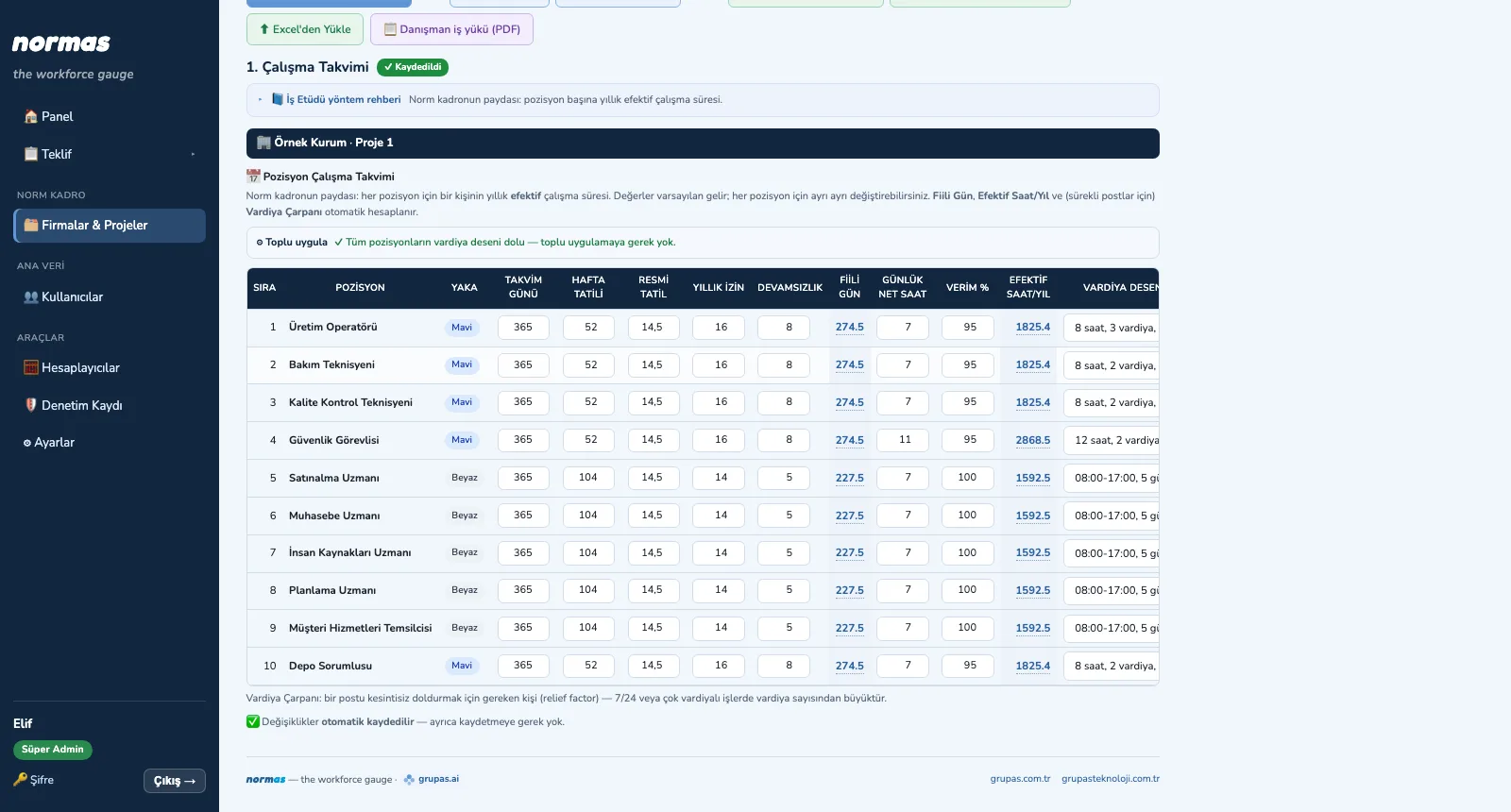
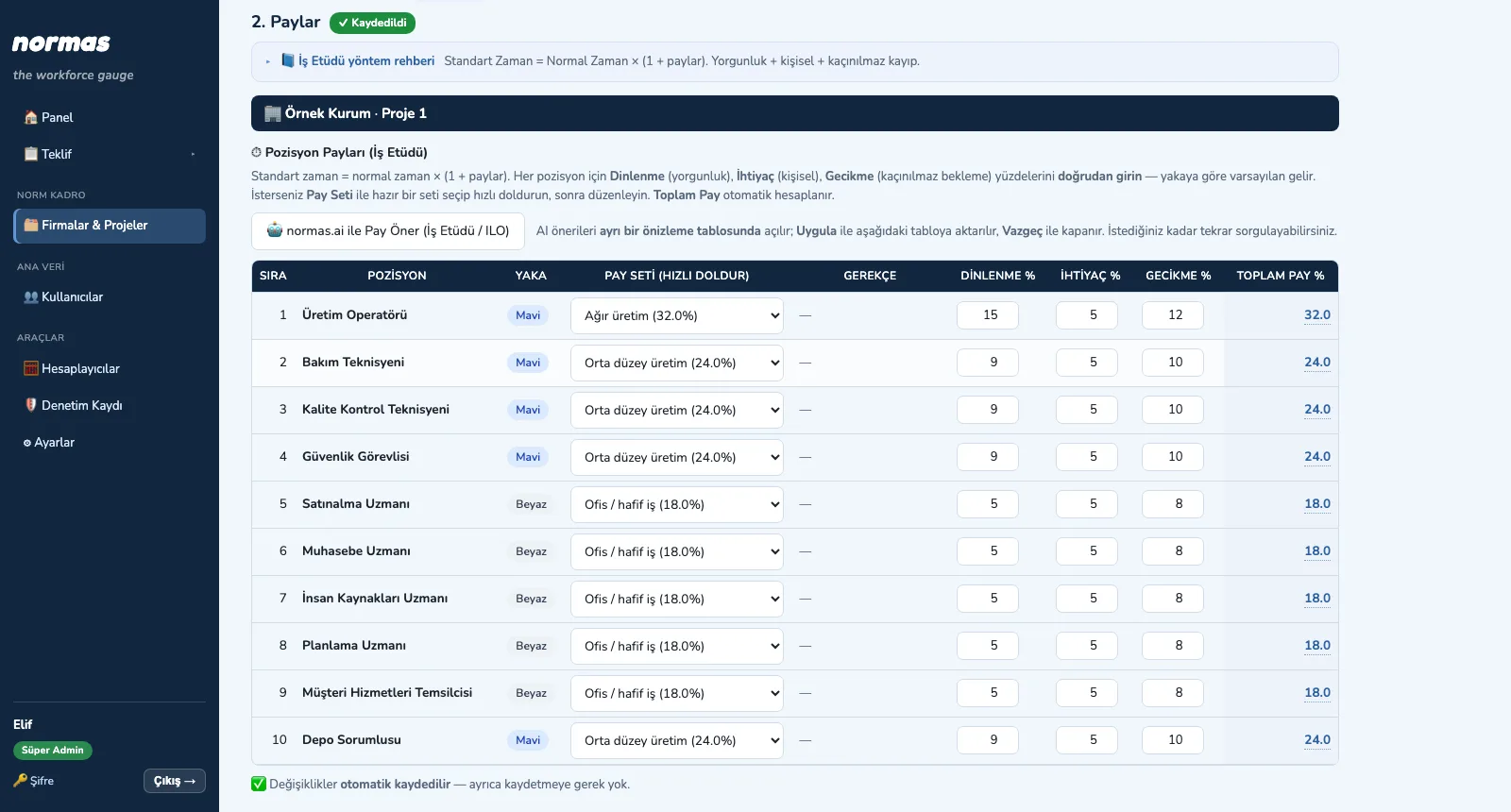
Each position's own working calendar is defined in one table: calendar days, weekly rest days, public holidays, annual leave, absence, net daily hours and efficiency. Actual days, annual effective hours and, for continuous posts, the shift factor are calculated automatically. Then rest, personal and delay allowances are assigned to each position.
What you gain with NORMAS
- Values come with defaults, can be changed per position and are saved automatically.
- AI allowance suggestions open in a separate preview table; Apply transfers them, Cancel closes it.
How it works
Set up capacity: calendar, shifts, allowances.
-
1
Enter the working calendar
Enter holidays, leave, absence, net hours and efficiency for each position; effective hours and shift factor appear instantly.
-
2
Assign allowances
Fill quickly from an allowance set or start from the AI suggestion; the total allowance is calculated automatically.
Screens are shown with sample data only; the application interface is in Turkish.
Purpose
To calculate correctly how much working time one person can really give in a year, and to build standard time with realistic allowances.
Features
- Calendar per position: actual days, net daily hours, efficiency → annual effective hours
- Shift pattern library (8/10/12 hours; 5/6/7 days; 1–3 shifts; fixed or rotating rest days)
- Shift factor (relief factor): the number of people needed to fill a continuous post
- Bulk apply: a correctly entered position's calendar is copied in one click to positions with no pattern
- Allowances: rest, personal and delay percentages; ready-made allowance sets; AI allowance suggestion
Benefits
- The norm is divided by a realistic capacity
- The most common error on 24/7 posts is avoided
- Allowances are set per position, with a rationale
Who uses it
Work study specialists, consultants, HR and shift planning teams.
All features
Base your staffing decision on measurement with NORMAS
Write to us for a live walkthrough on sample data.
Request a demo