A tour of the screens

Pick a capability and click the steps; click an image to enlarge it. Screens are shown with sample data only; the application interface is in Turkish.

NORMAS · PLAN
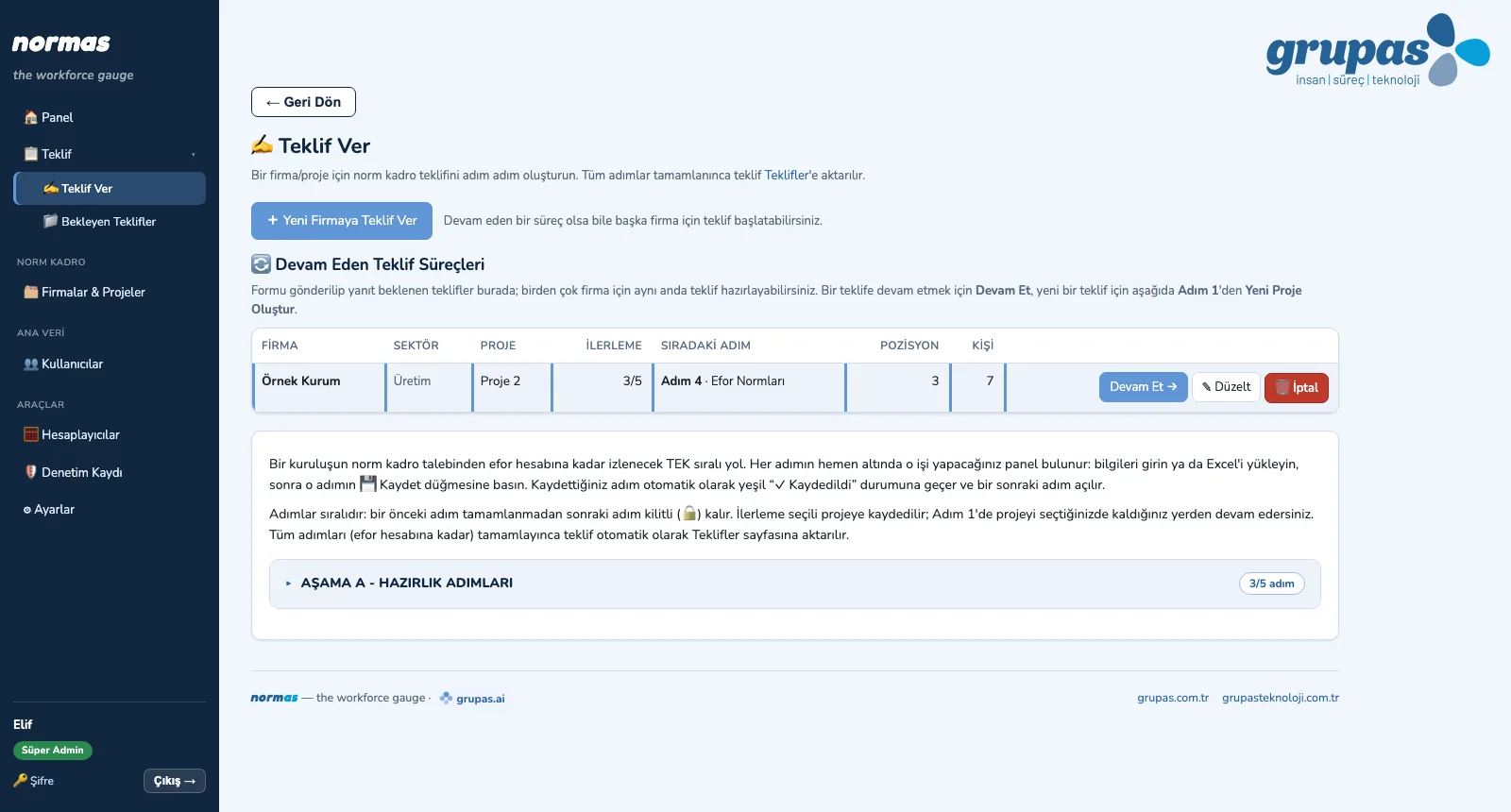
PLAN — Start the proposal
PLAN · Explore

Screens are shown with sample data only; the application interface is in Turkish.

PLAN · Plan

Proposal, Scope and Execution Plan

Prepare the proposal, get it approved and plan the work.
PLAN — Start the proposal
1. Start the proposalEnter the company details, download the blank information form in Excel and send it to the client; open proposals are tracked in one list.
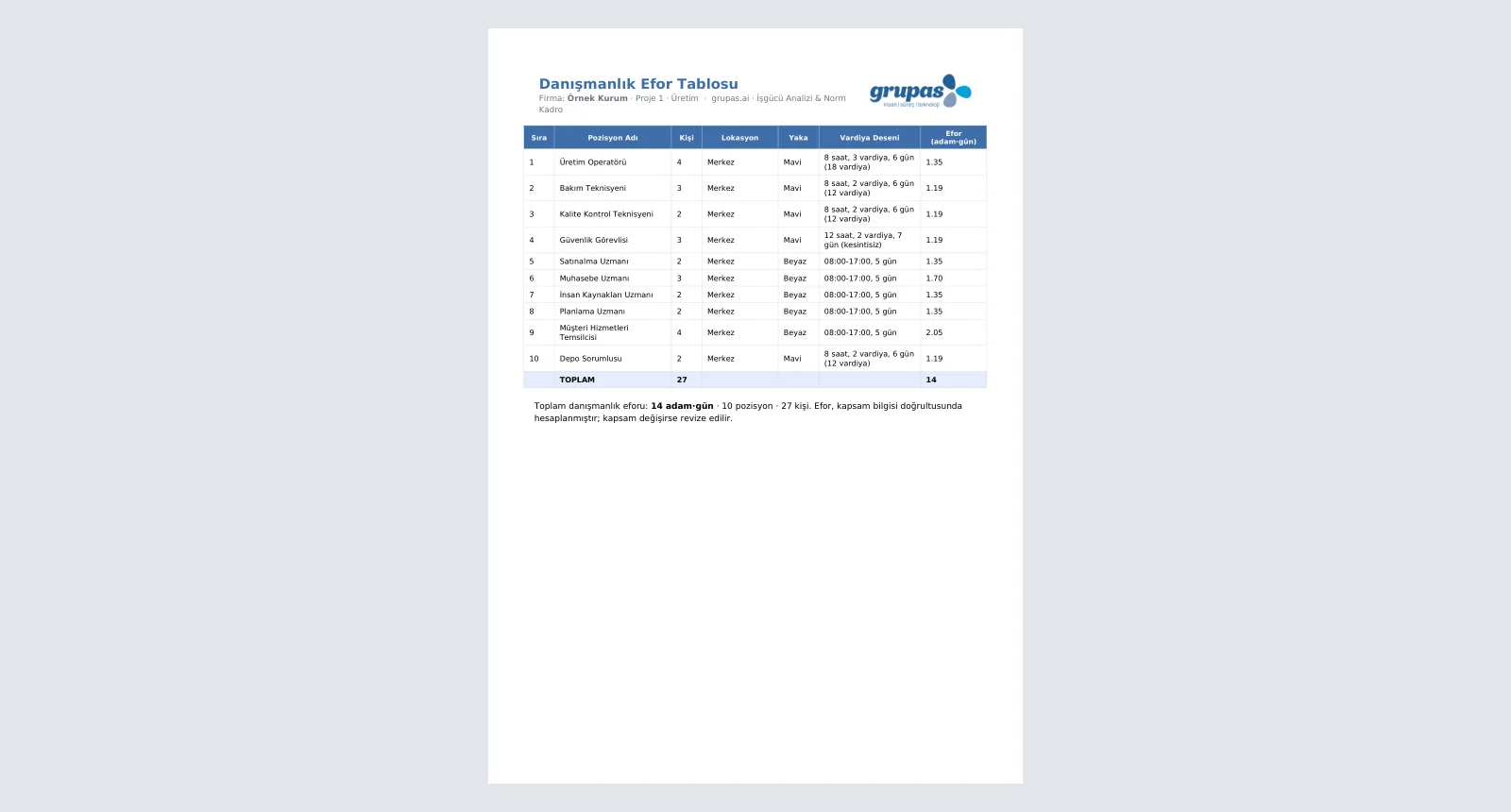
PLAN — Load the scope, calculate effort
2. Load the scope, calculate effortUpload the completed form and calibrate the effort norms; person-day effort per position is calculated and downloads as PDF.
PLAN — Build the execution plan
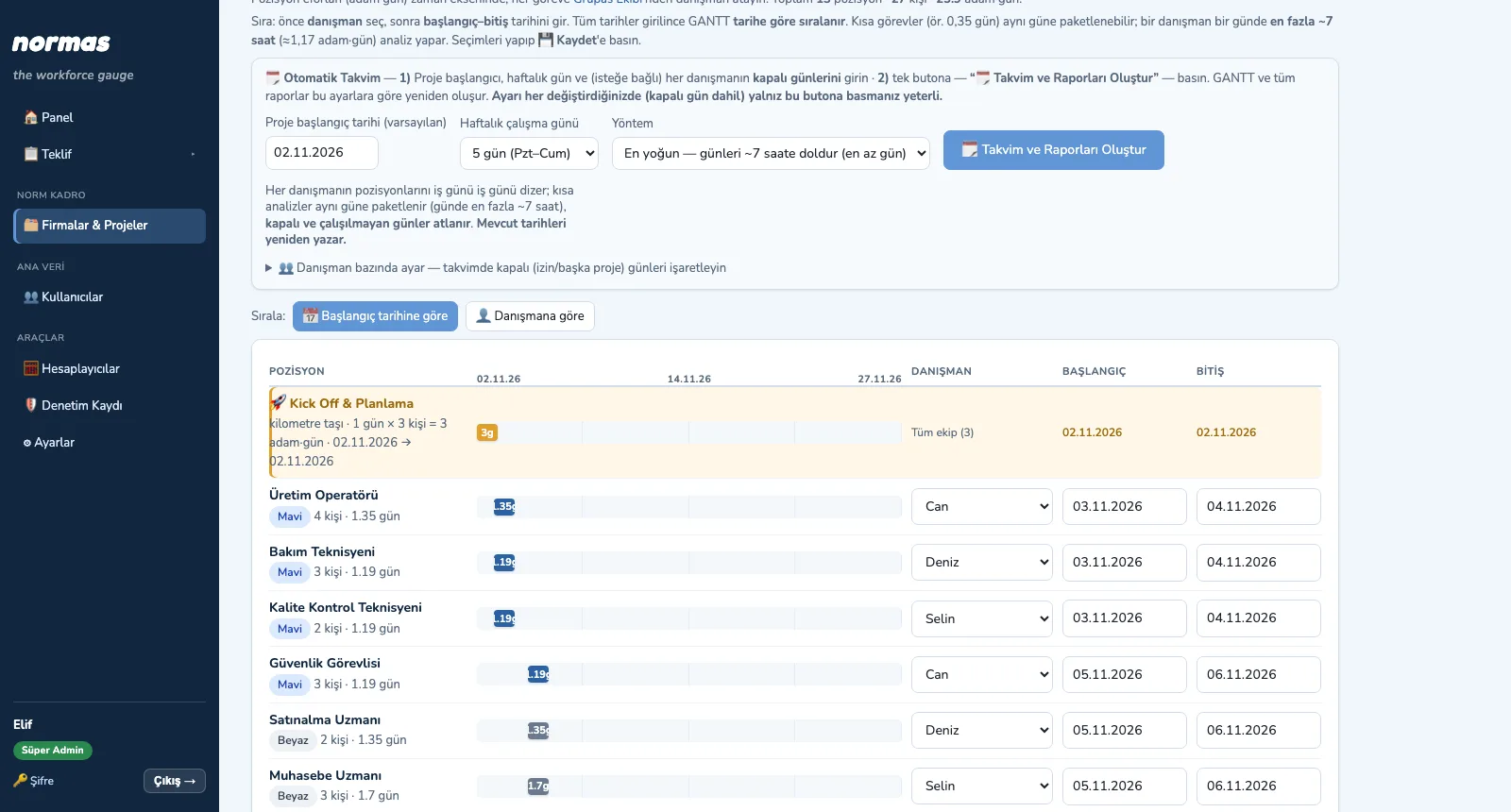
3. Build the execution planThe approved proposal becomes a project; assign consultants to positions and let the GANTT build from the start date.
PLAN — Set the team and permissions
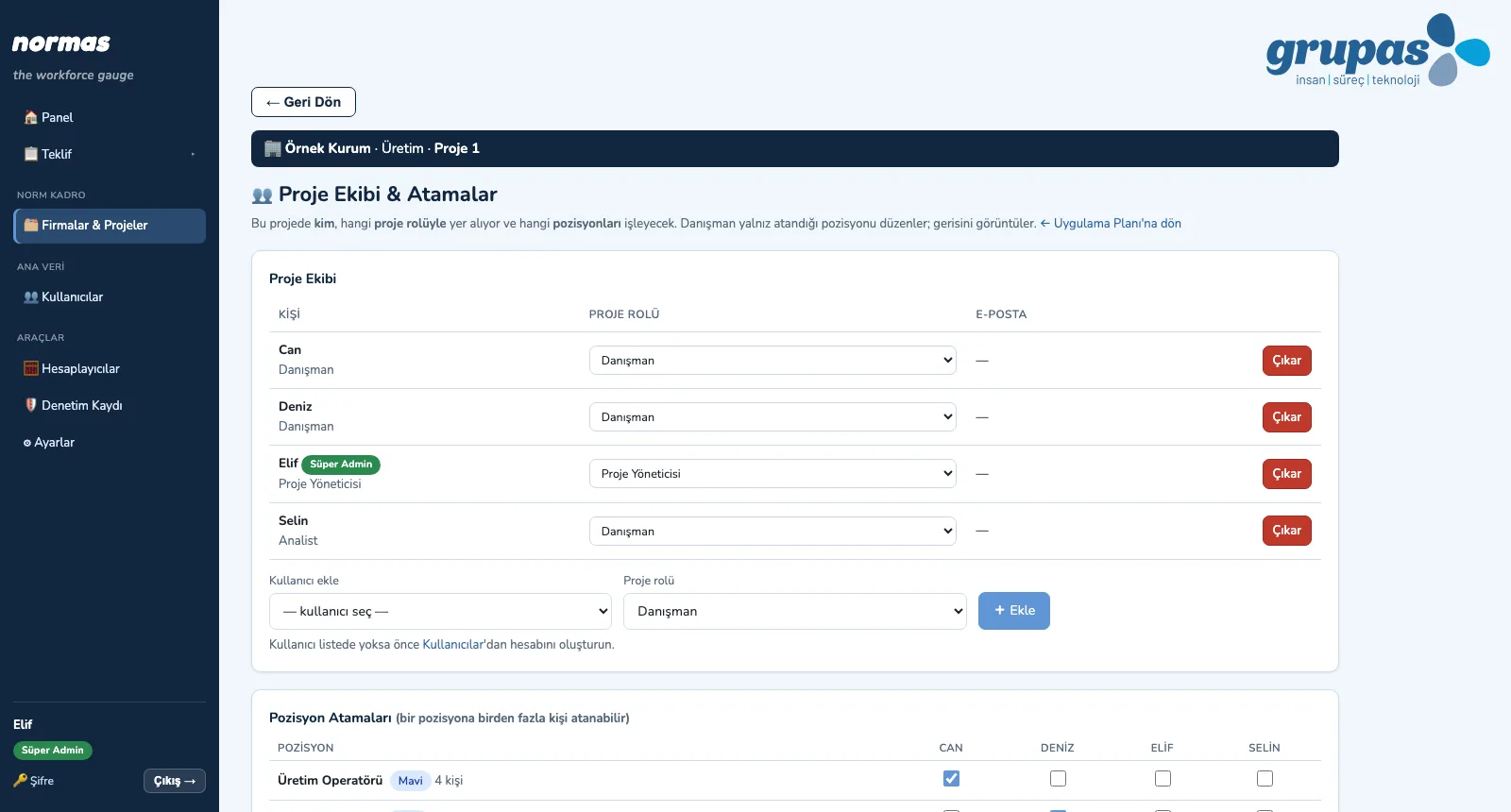
4. Set the team and permissionsDefine the project team and roles and tick the position assignments; each consultant works on their own positions.

PLAN · Explore

TIME · Set capacity

Working Calendar, Shifts and Allowances

Set up capacity: calendar, shifts, allowances.
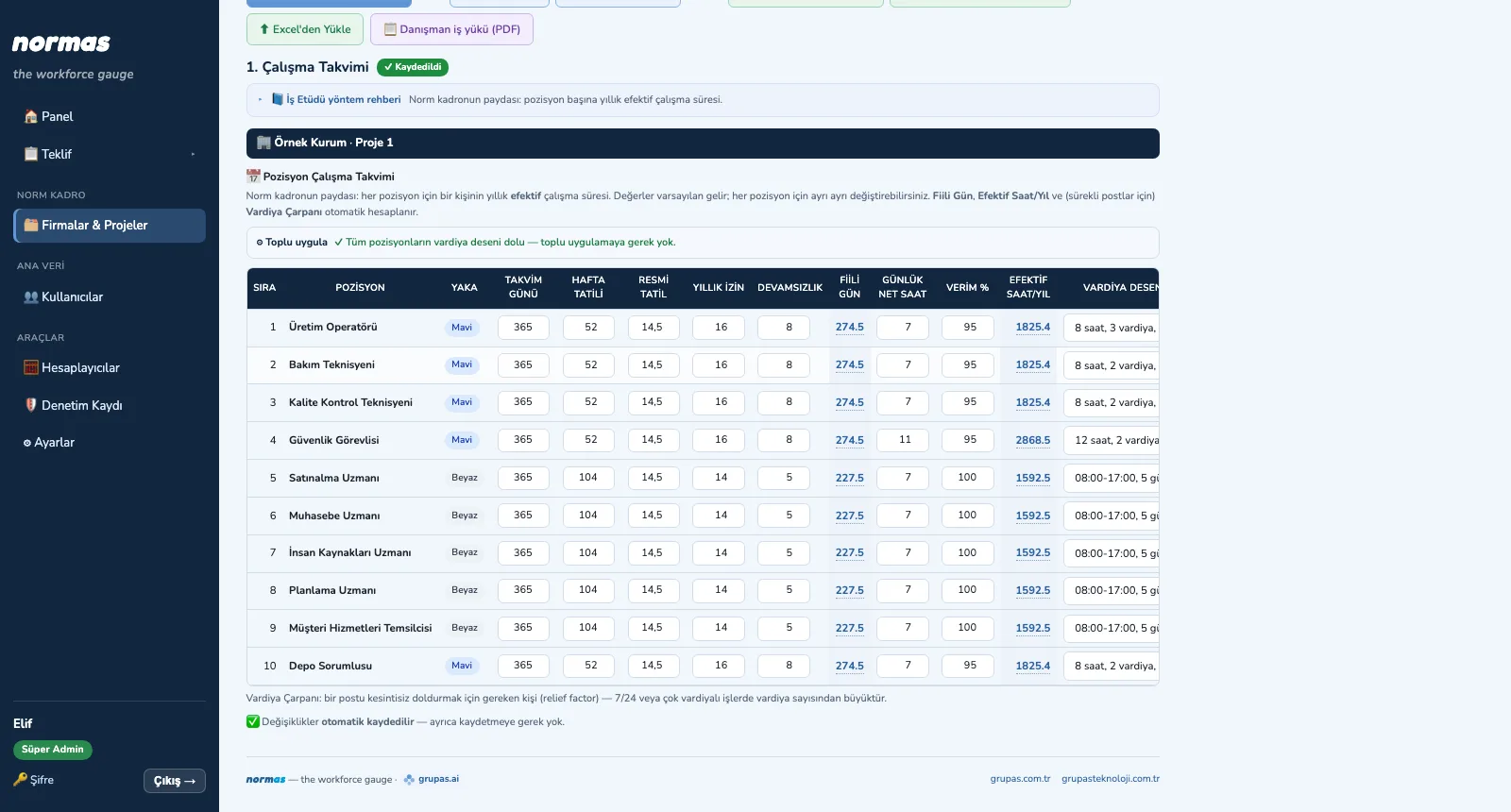
TIME — Enter the working calendar
1. Enter the working calendarEnter holidays, leave, absence, net hours and efficiency for each position; effective hours and shift factor appear instantly.
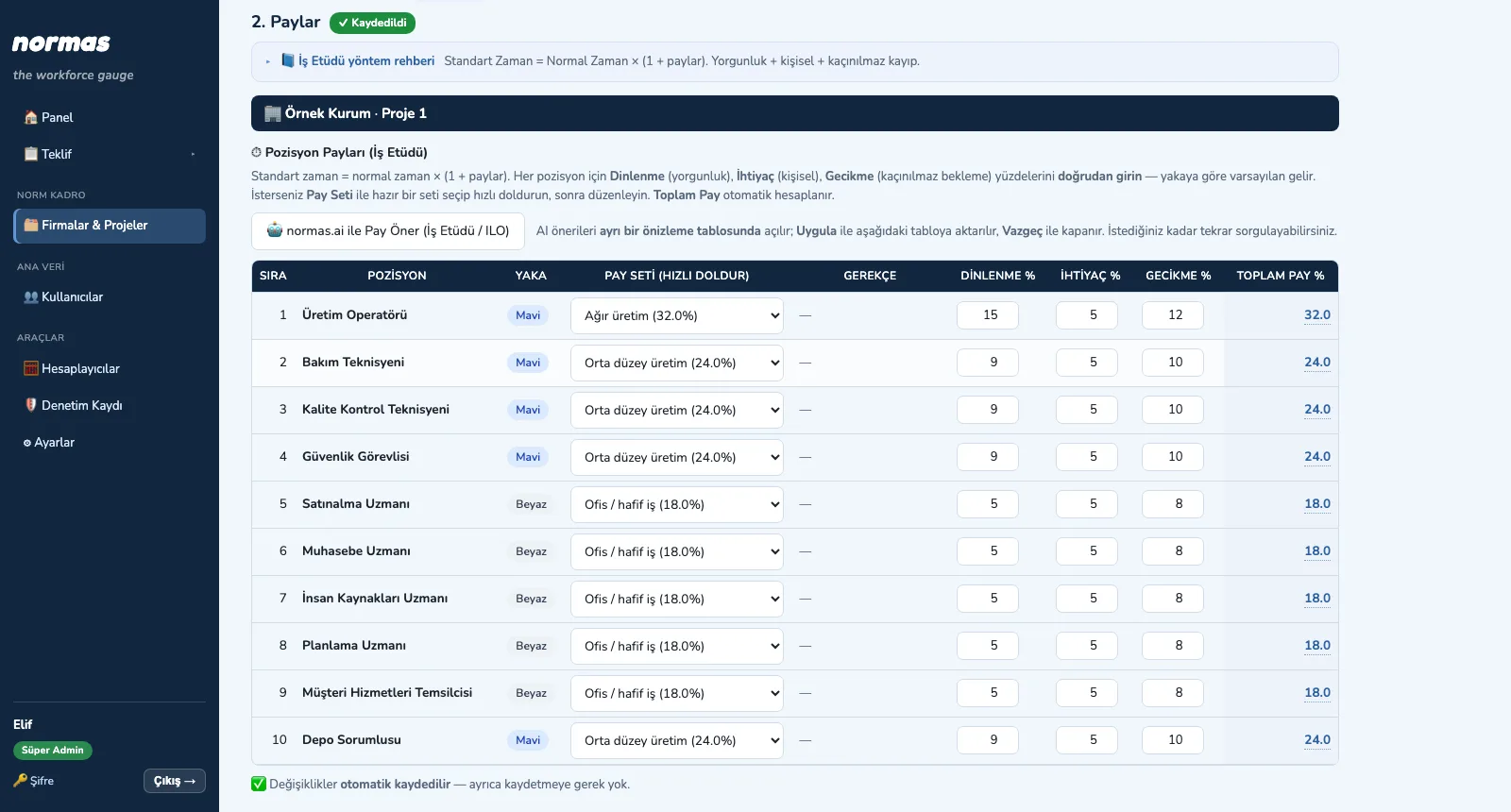
TIME — Assign allowances
2. Assign allowancesFill quickly from an allowance set or start from the AI suggestion; the total allowance is calculated automatically.

TIME · Explore

METHOD · Choose the method

Work Study Measurement Method

Classify, choose the method, check the sample.
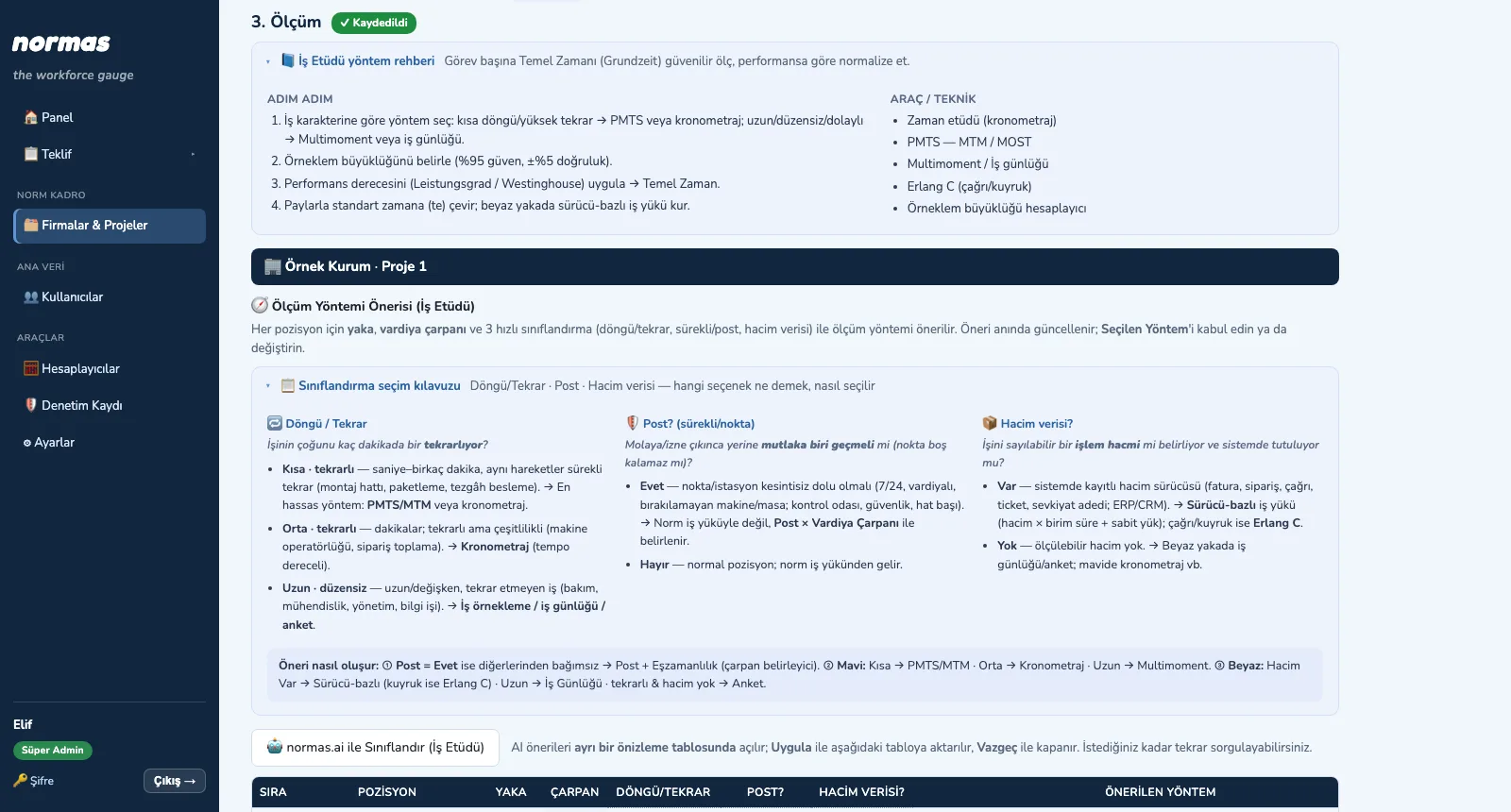
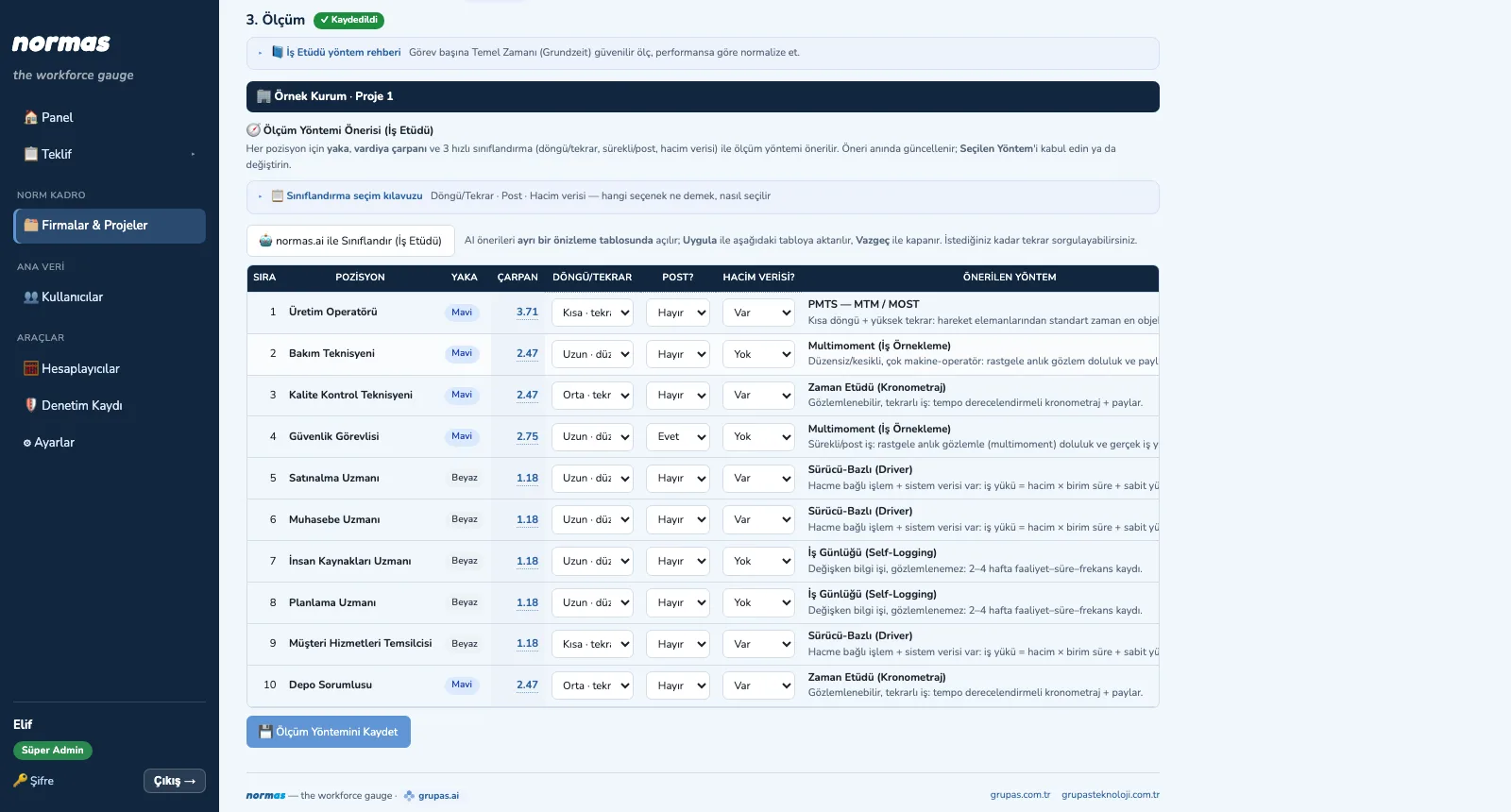
METHOD — Classify the positions
1. Classify the positionsChoose cycle / repetition, post and volume data; accept the suggested method or change it.
METHOD — Follow the guide
2. Follow the guideThe work study guide and the classification guide explain what each option means and which tool it leads to.
METHOD — Calculate the sample
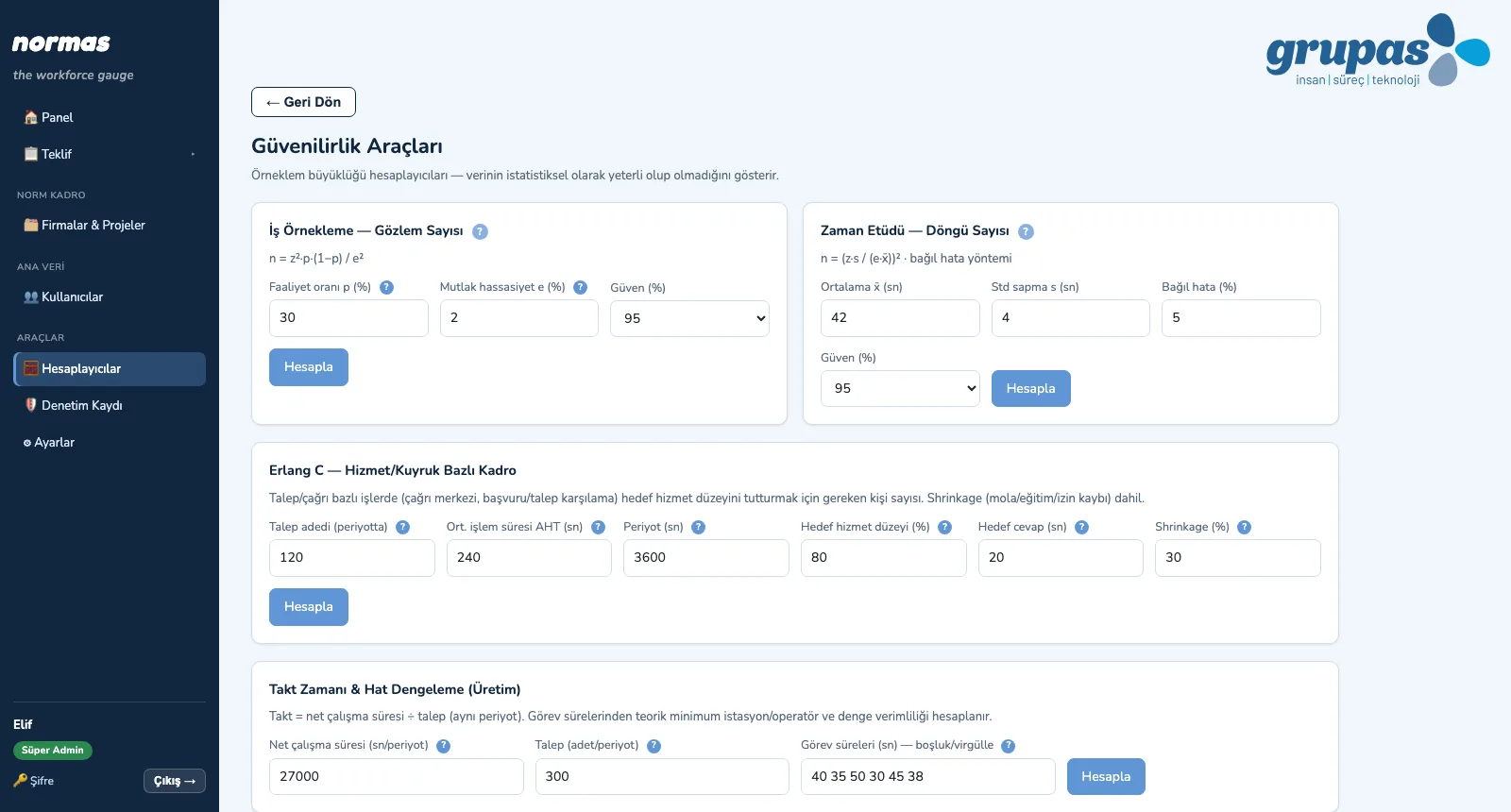
3. Calculate the sampleUse the calculators for required observations and cycles, Erlang C for staffing and takt for line balance.

METHOD · Explore

LOAD · Measure

Workload Analysis per Person

Measure, compare person by person, comment.
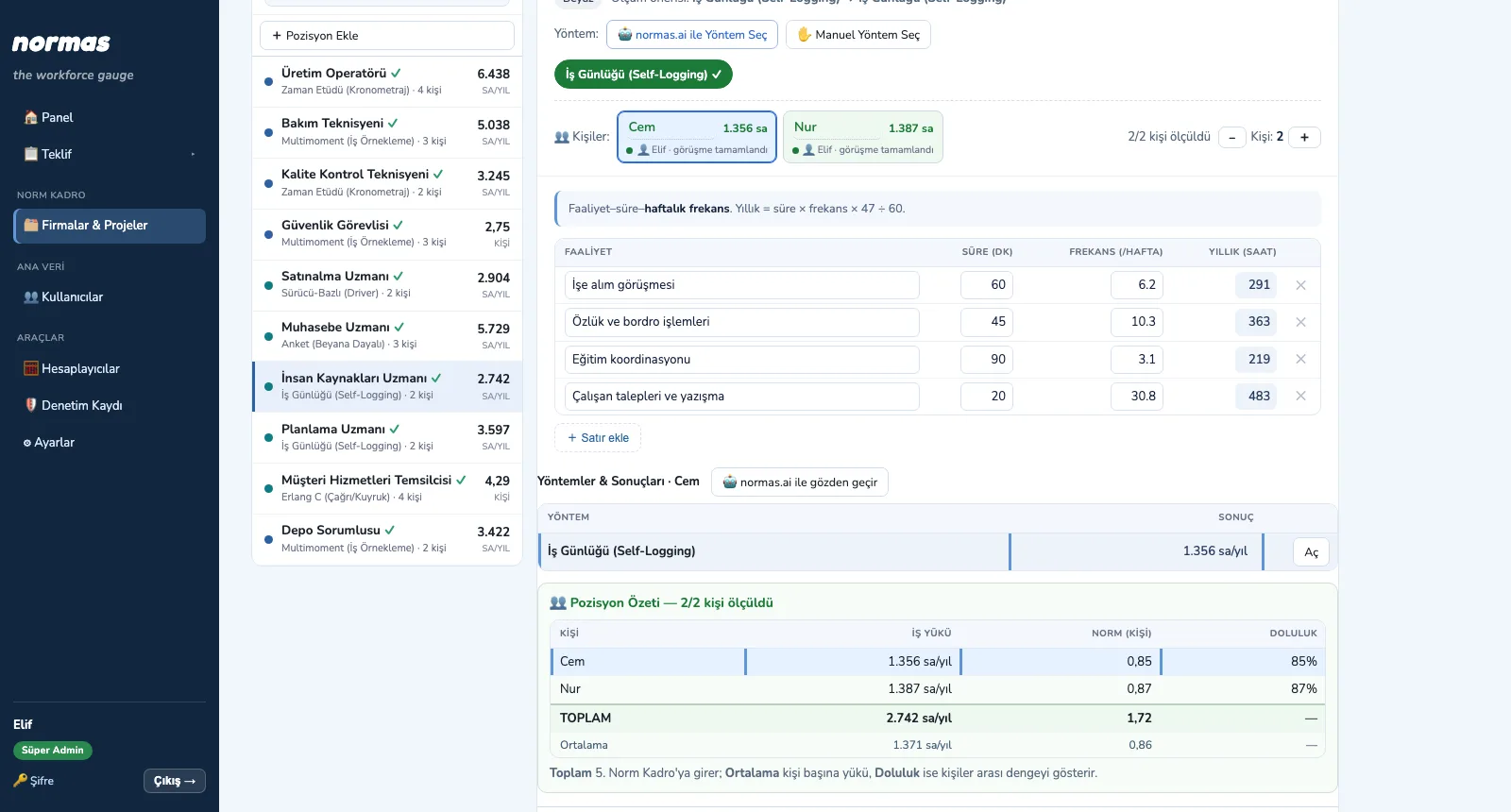
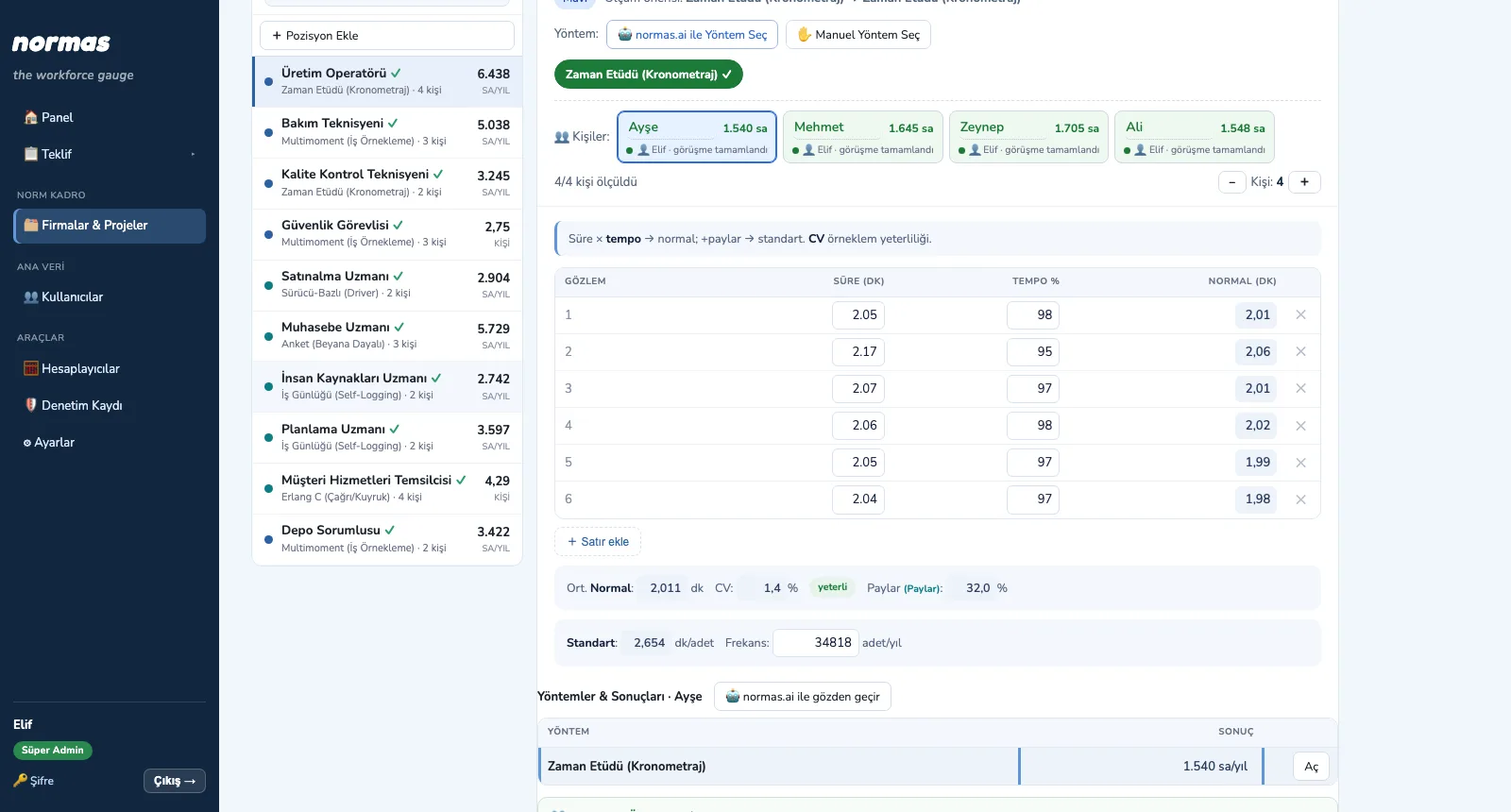
LOAD — Measure a blue-collar position
1. Measure a blue-collar positionIn a time study, enter observed times and rating; allowances give standard time, frequency gives annual workload.
LOAD — Measure a white-collar position
2. Measure a white-collar positionIn the work log, enter activity, duration and weekly frequency; annual hours are calculated line by line.
LOAD — Compare people, add comments
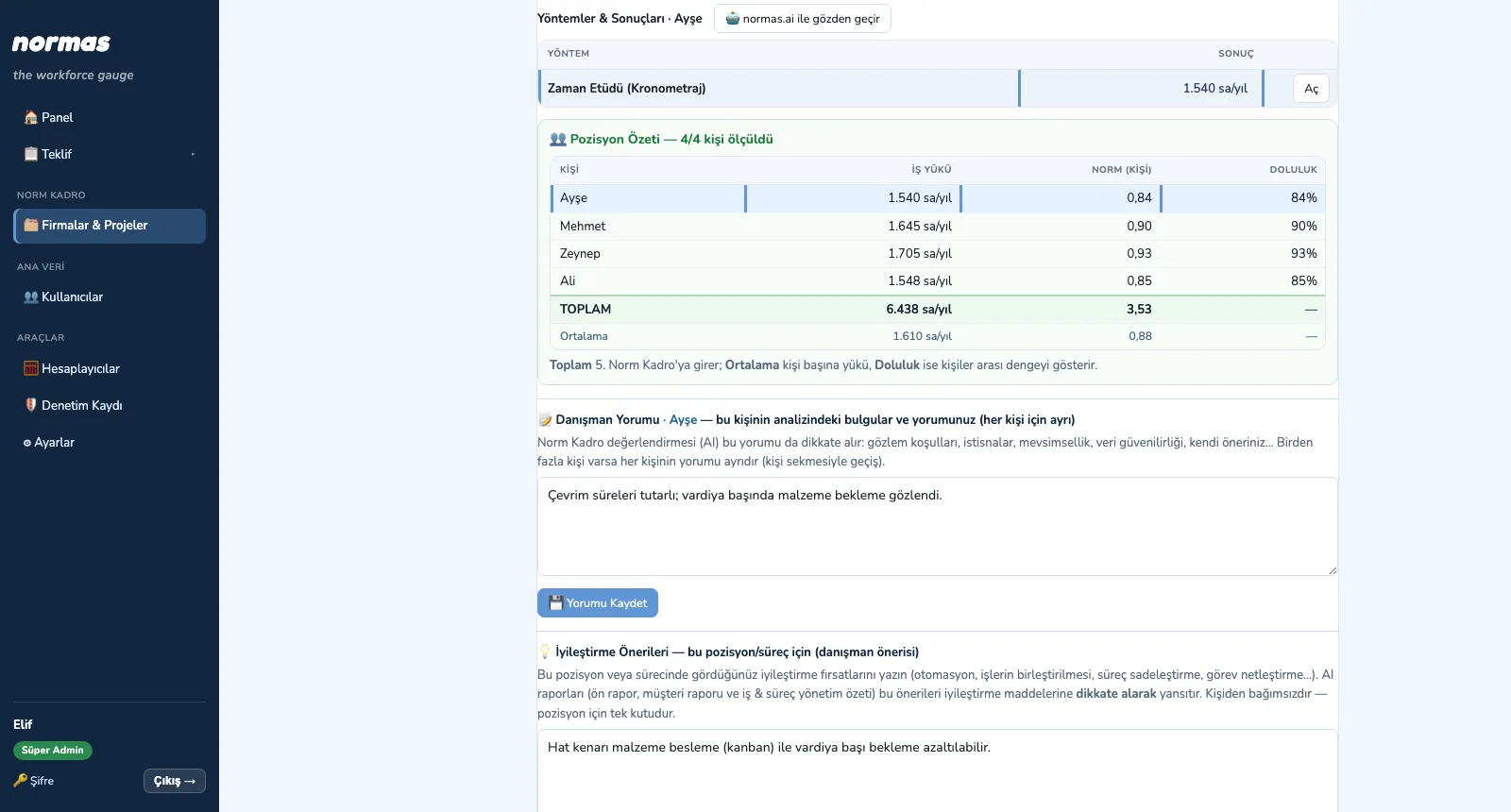
3. Compare people, add commentsThe position summary shows each person's workload, norm and utilization; add the consultant comment and improvement suggestion.

LOAD · Explore

110% · Verify

Second and Third Analysis

See the overload, measure again, close it.
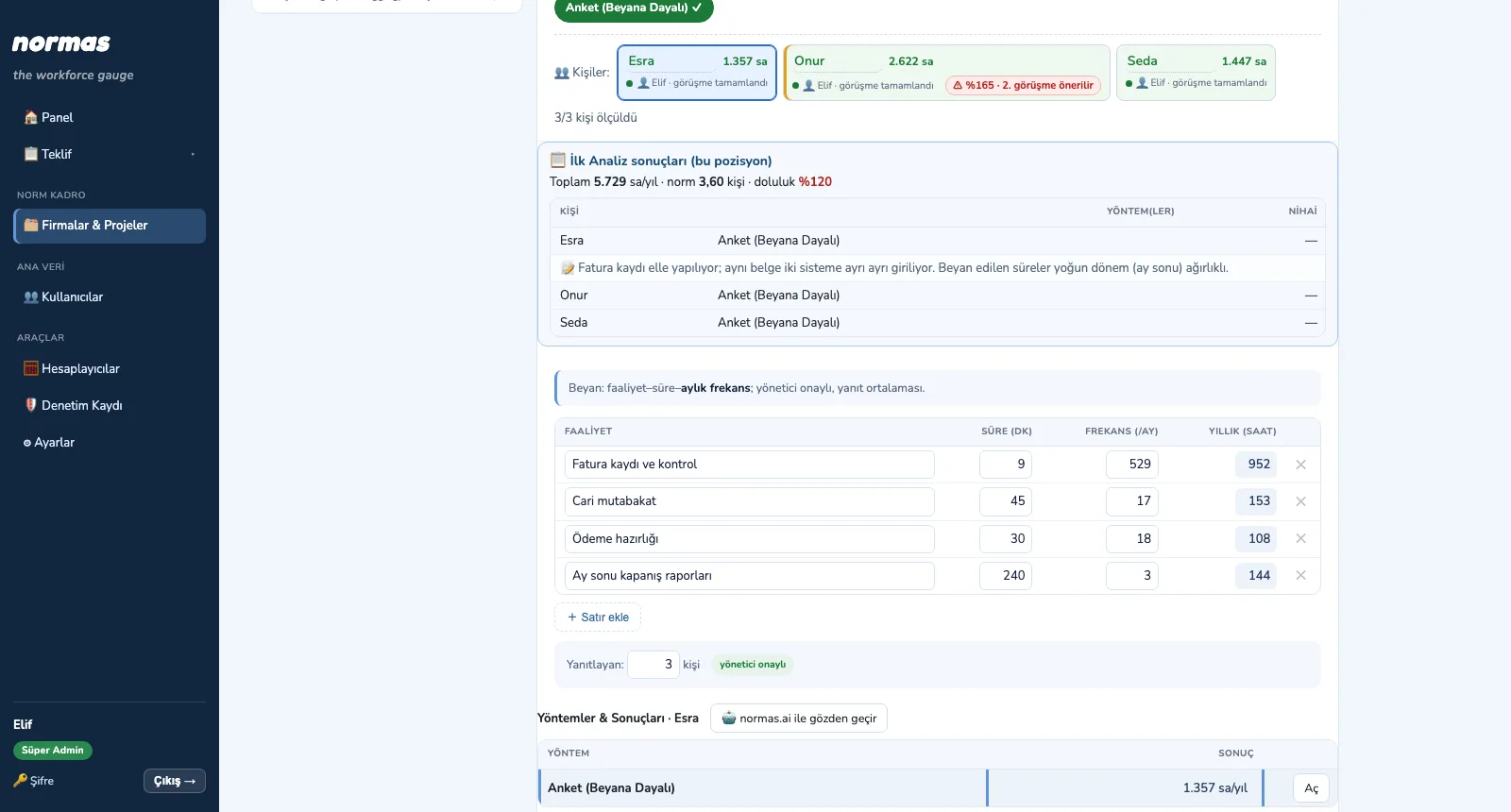
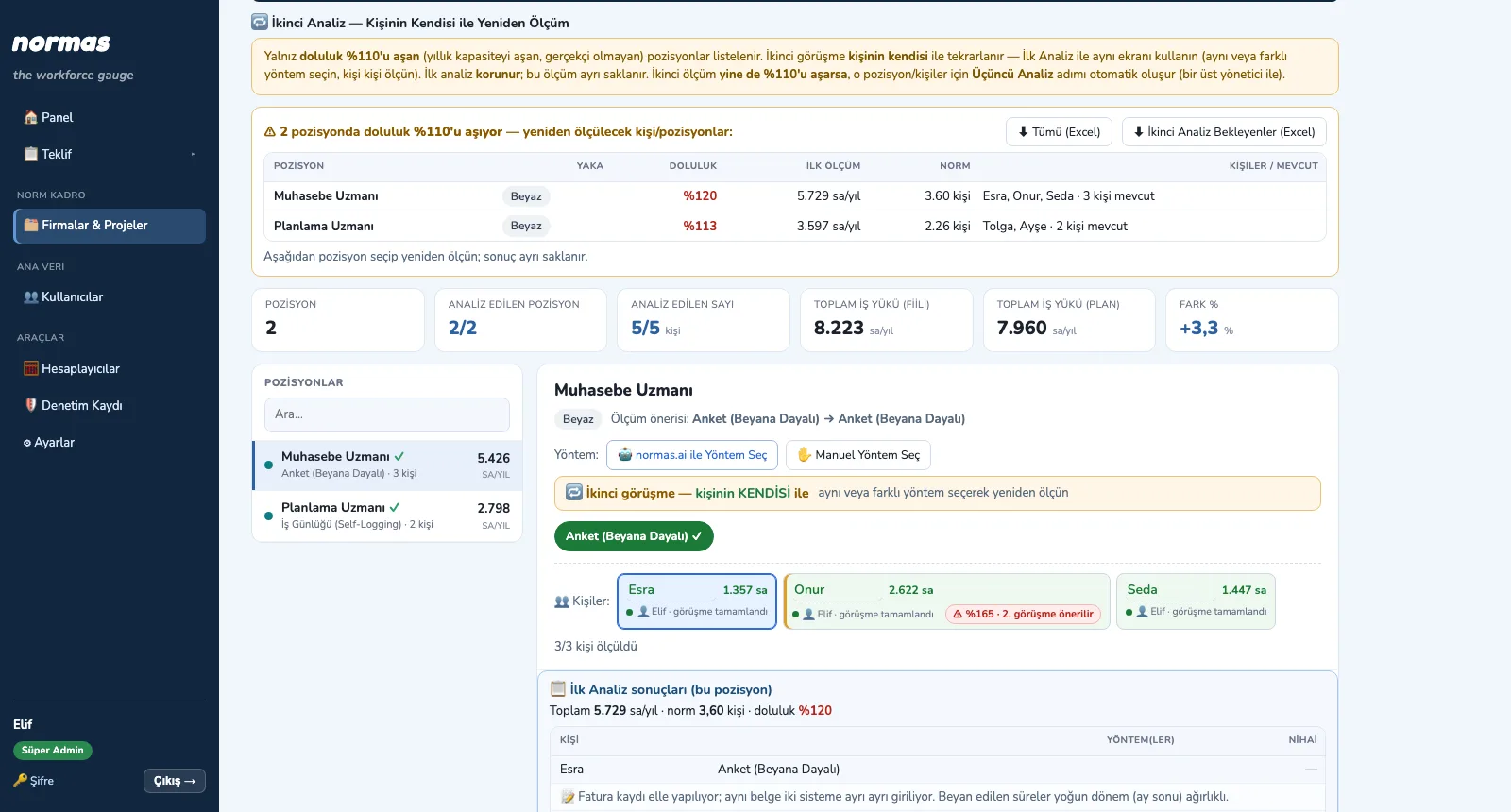
110% — See the overloaded positions
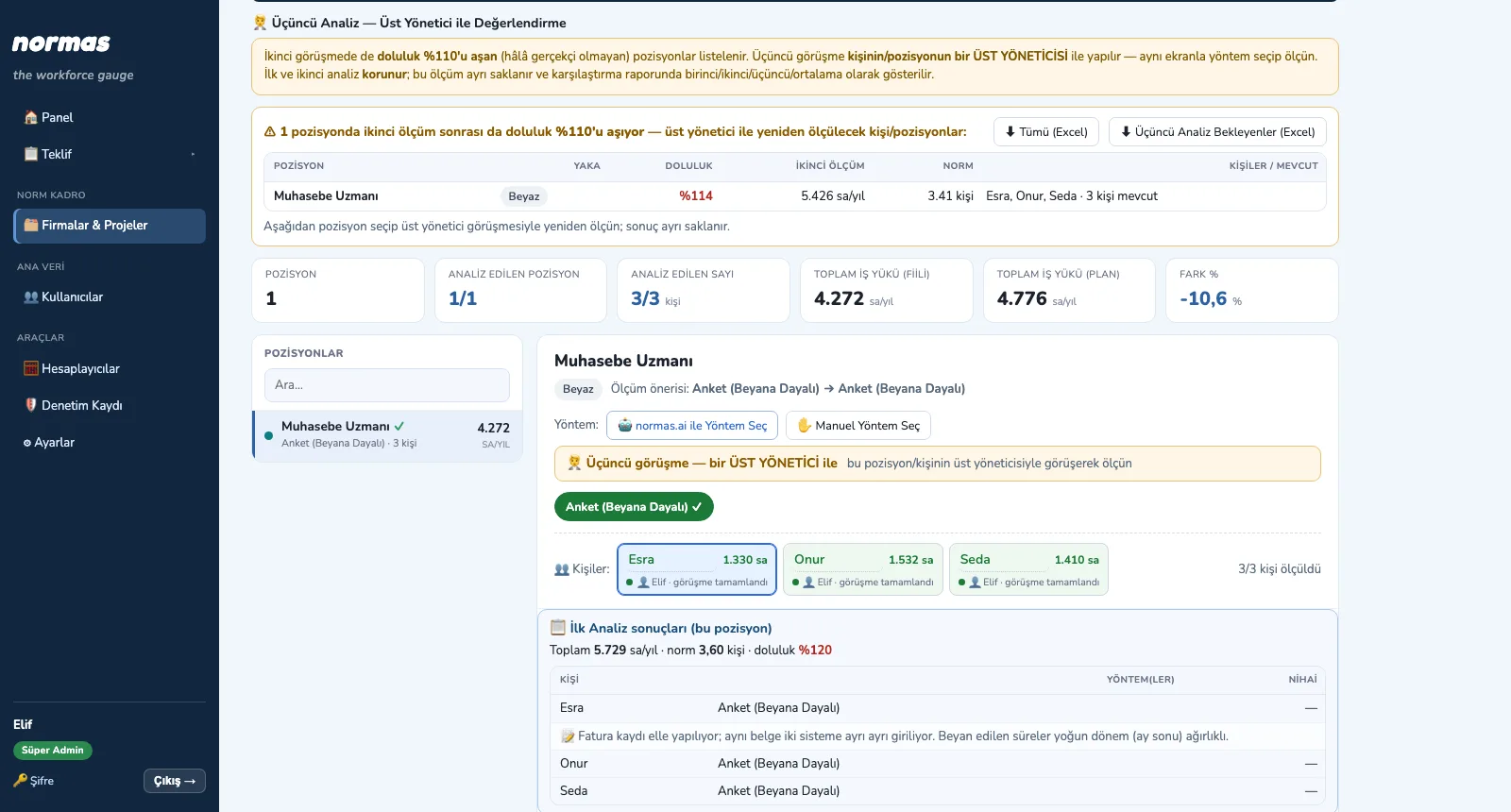
1. See the overloaded positionsThe Second Analysis page lists positions and people above 110% automatically; the list exports to Excel.
110% — Measure again with the person
2. Measure again with the personFirst-analysis results and comments stay in the panel; measure again person by person, the result is stored separately.
110% — Review with the line manager
3. Review with the line managerIf the second measurement also exceeds 110%, a Third Analysis is created; the interview is with a line manager and all three rounds show side by side.

110% · Explore

NORM · Decide

Norm Staffing and Reports

See the norm, produce the report, share it.
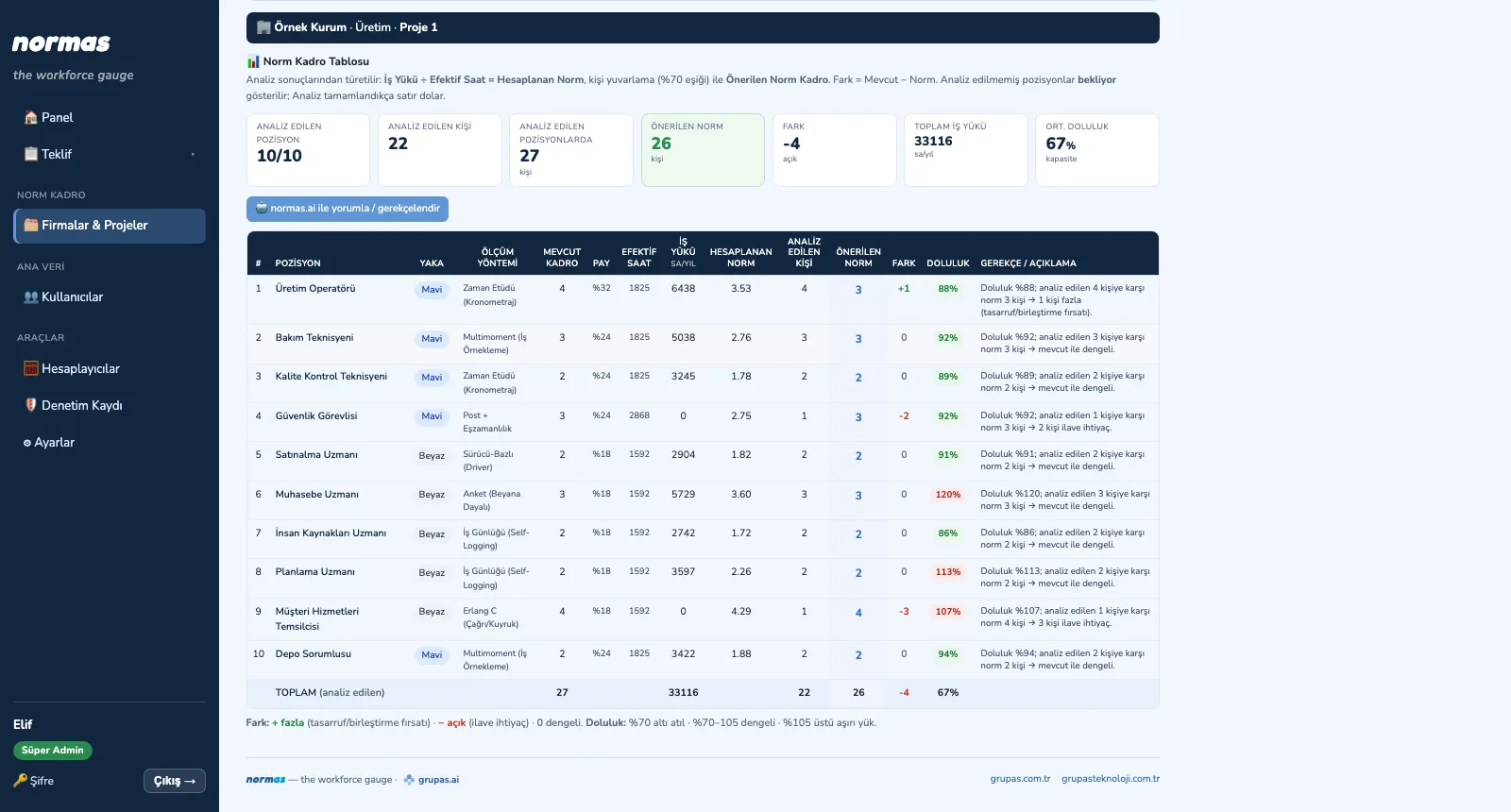
NORM — See the summary
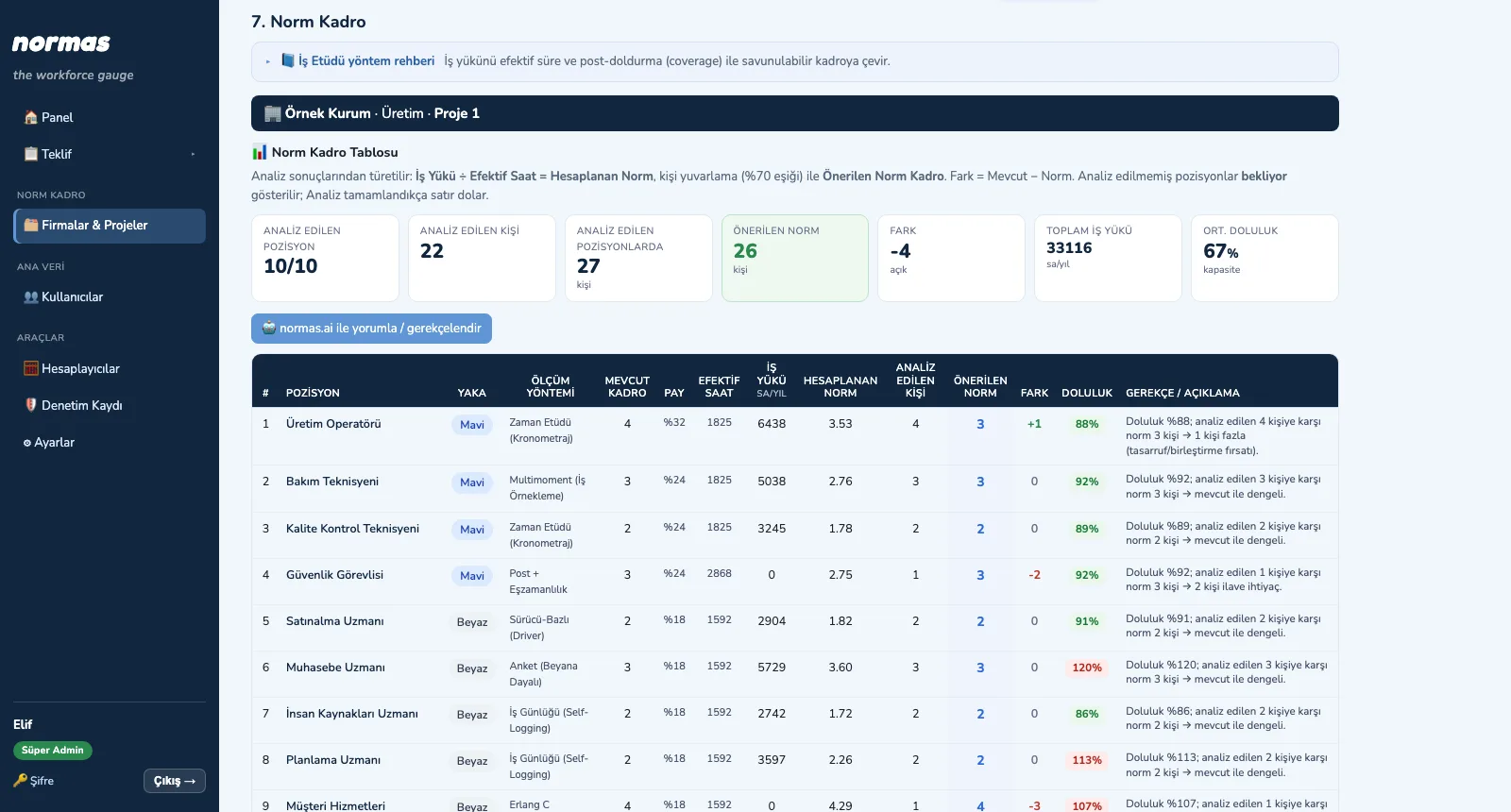
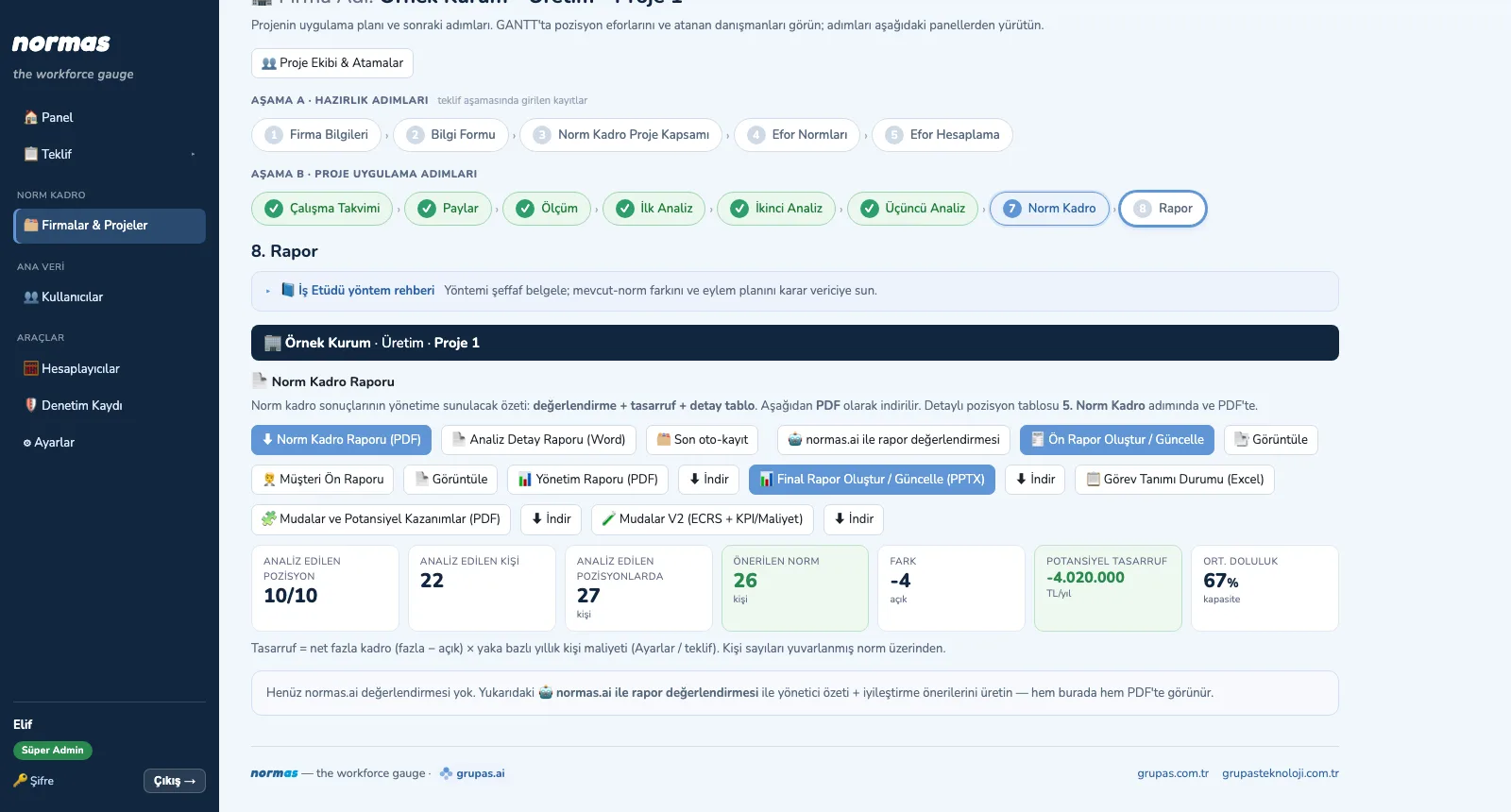
1. See the summaryAnalyzed positions and people, recommended norm, difference, total workload and average utilization appear as cards.
NORM — Review the table
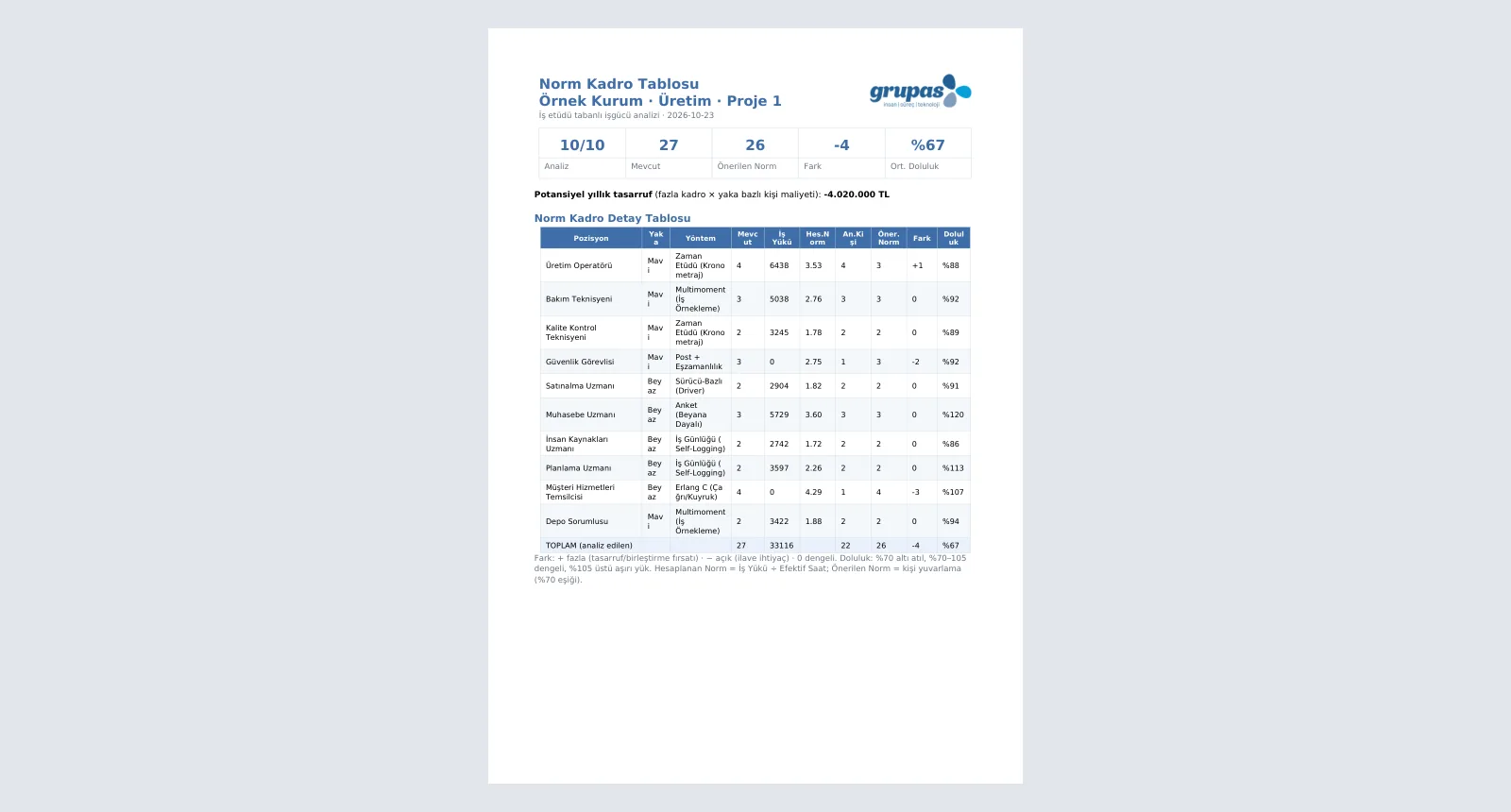
2. Review the tableEach position's calculation chain, recommended norm, difference and utilization, with the rationale, in one table.
NORM — Produce the reports
3. Produce the reportsIn the report step, the Norm Staffing Report, the Word analysis report and the AI-prepared management reports are in one place.
NORM — Share as PDF
4. Share as PDFThe Norm Staffing Report downloads as a PDF with summary, savings and detail table.

NORM · Explore

Base your staffing decision on measurement with NORMAS

Write to us for a live walkthrough on sample data.

WhatsApp
GURU

GURU · NORMAS assistant

Ask about features, licenses and the norm staffing method.

+90 538 390 29 78 info@grupas.com.tr
Hi, I'm GURU! I can answer your questions about NORMAS and work-study-based norm staffing (standard time, allowances, effective time, shift factor, measurement methods).